Asynchronous JavaScript
JavaScript is Single-Threaded, which means it can only do one thing at a time. Normally, it runs code line-by-line (Synchronous). But some tasks—like getting data from an API—take time. If JS waited for those tasks, your website would "freeze."
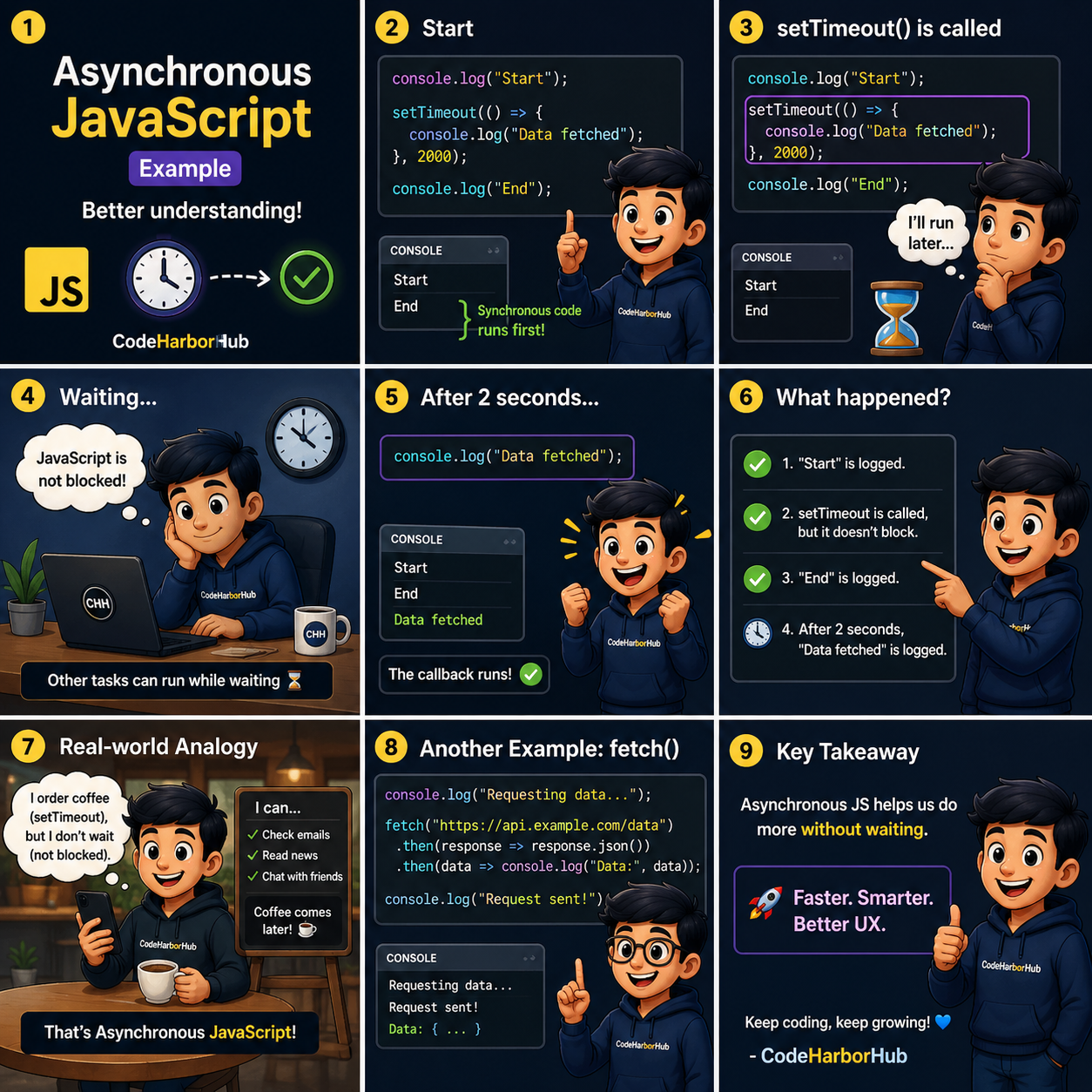
Asynchronous (Async) code allows JavaScript to start a long task, move on to other things, and come back to finish the task once it's done.
1. The "Waiting" Problem
Imagine you ask a server for a list of users. If the internet is slow, the code stops.
- Synchronous: Line 1 → Line 2 (Wait 5s) → Line 3.
- Asynchronous: Line 1 → Line 2 (Start task) → Line 3 → (Task finishes later).
2. Promises: A Deal for the Future
A Promise is exactly what it sounds like. It’s an object that represents a value that isn't available yet, but will be eventually.
A Promise has three states:
- Pending: Still waiting (water is boiling).
- Fulfilled: Success! (water is boiled).
- Rejected: Something went wrong (the stove broke).
const myPromise = new Promise((resolve, reject) => {
    let success = true;
    if (success) {
        resolve("Data received! ✅");
    } else {
        reject("Error: Server down ❌");
    }
});

myPromise
    .then((data) => console.log(data)) // Runs if resolved
    .catch((err) => console.log(err)); // Runs if rejected
3. Async / Await (The Modern Way)
While .then() is great, modern developers prefer Async/Await. It makes asynchronous code look and feel like "normal" line-by-line code.
async: Tells JS this function will handle asynchronous tasks.await: Tells JS to "pause" inside the function until the promise is finished.
async function getUserData() {
    console.log("Fetching...");

    // Imagine this takes 2 seconds
    let response = await fetch('https://api.example.com/user');
    let data = await response.json();

    console.log(data);
}

getUserData();
4. Handling Errors with Try/Catch
When using async/await, we use a try...catch block to handle any "Rejections" (errors).
async function safeFetch() {
    try {
        let response = await fetch('https://invalid-url.com');
        let data = await response.json();
    } catch (error) {
        console.log("Something went wrong: " + error);
    }
}
5. Real-World Example: Fetching an API
Let's fetch a random quote from the internet and display it.
const getQuote = async () => {
    const response = await fetch('https://api.quotable.io/random');
    const data = await response.json();

    console.log(`${data.content} — ${data.author}`);
};

getQuote();
Practice: The "Delayed Greeting"
Try this in your script.js to understand the timing:
- Create an
asyncfunction. - Use a
setTimeoutwrapped in a promise to wait for 3 seconds. - Log "Hello after 3 seconds!" to the console.
const delay = (ms) => new Promise(res => setTimeout(res, ms));

async function welcome() {
    console.log("Starting timer...");
    await delay(3000); // Wait 3 seconds
    console.log("Hello from CodeHarborHub!");
}

welcome();
In a Full-Stack application, almost everything involves "waiting": logging in, fetching posts, uploading photos, or saving a profile. Mastering Async/Await is what makes your apps feel fast and professional.